Miscillaneous Matlab Goodies!
On
ezplot and fplot:
These
are two Matlab commands that plot symbolic functions. For fplot the user must specify a vector [xmin xmax], and it is optional for ezplot. The standard way of use (with versions 4.0
and 5.5) is:
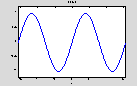
or
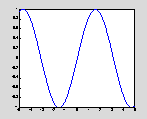
ezplot sin(x) or ezplot(y) also work if we first define y = 'sin(x)'; however, ezplot y does not work.
Defining
functions symbolically:
Older
version of Matlab Symbolic Toolbox (e.g., v.4.0) restricted the definition of
symbolic functions according to, e.g., :
tanh(x) + x^2
This also works with newer versions. However, newer versions (say v5.0) also allows:
One can use findsym(y,1)to find the
Matlab assumed variable in expressions containing more than one symbol. E.g.,
findsym('a*c+5',1) returns c as the
variable (since c is closer to the default variable 'x').
funtool:
This
is a nice Matlab command that open a user friendly interface and allows for
symbolic functions (two functions of one variable each) to be plotted,
differentiated, composed, etc.) funtool work
from within a Matlab window.
Base
Conversions:
101101
2D
18
230
Computing
factorial and combinations:
There
is no build-in function for factorial(n) in Matlab (e.g., 4! does not work).
However, one can use:
24
1
or gamma(n+1) for n!
24
Example: Find the combination C(5,3):
C=prod(1:5)/(prod(1:5-3)*prod(1:3))
10
Special
Variables:
3.1416
Infinity: inf
2.2204e-016
0+ 1.0000i
e.g.,
2.7183